

Epson EcoTank ET-2800 Review: A Low‑Maintenance Basic Home Printer
Introduction
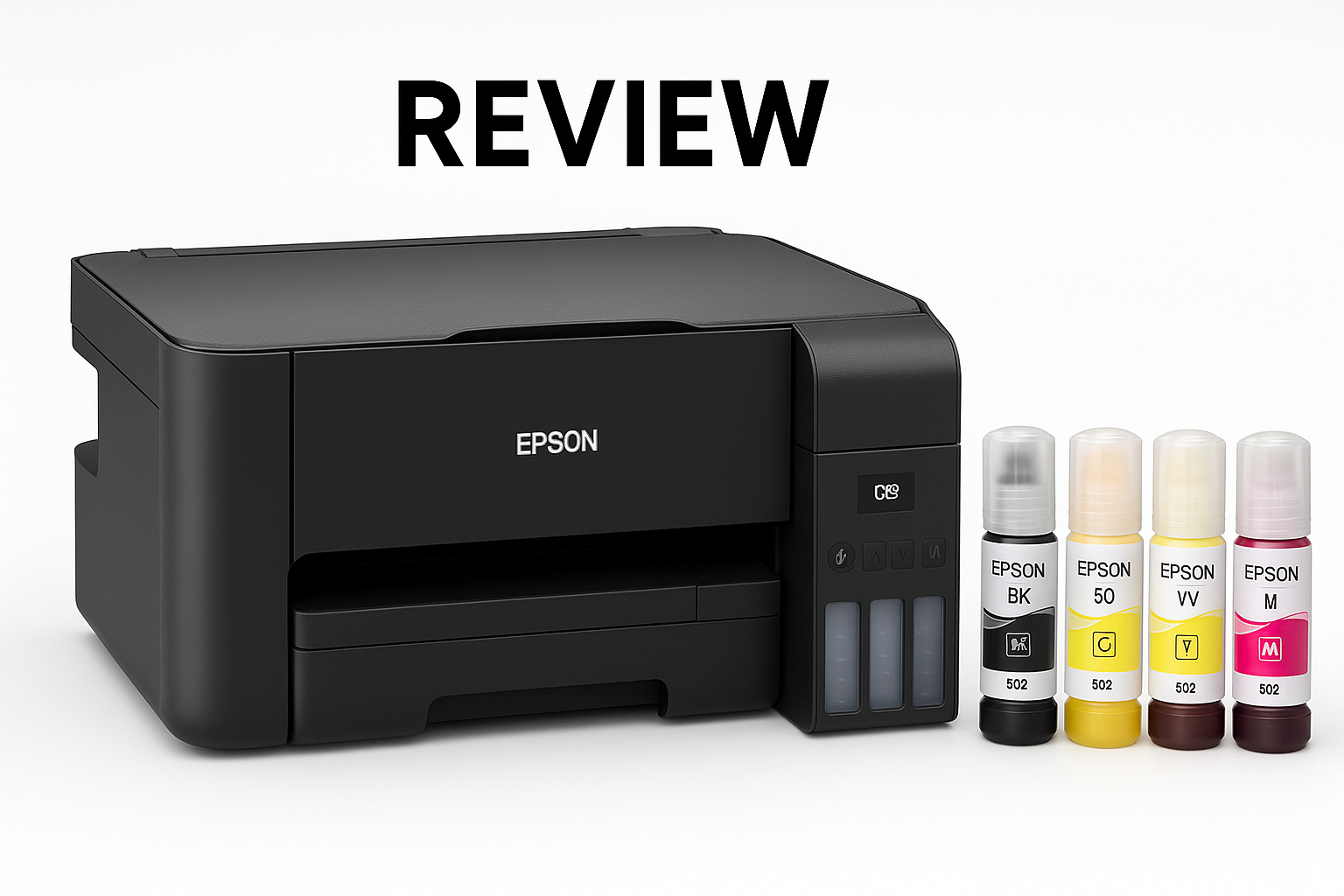
The Epson EcoTank ET-2800 Wireless Color All-in-One Cartridge-Free Supertank is positioned as an "ideal basic home printer" for users who are tired of replacing small, expensive ink cartridges. Instead of cartridges, it uses high‑capacity ink tanks you refill with bottles, drastically extending the time between refills and reducing cost per page.
This model focuses on essentials: wireless printing, copying, and flatbed scanning. It skips office‑centric extras like automatic duplexing (2‑sided printing) and an automatic document feeder to keep the design simple and compact. On paper, it’s a strong fit for families, students, and light home‑office users who value predictable, low running costs over speed.
If you’re shopping this printer on Amazon, you’ll typically find it around $199.99, which places it above many entry‑level cartridge inkjets but well below higher‑end EcoTank models.
Typical Use Cases
1. Everyday Home and School Printing
The ET‑2800 is built for routine tasks like:
- Printing school assignments and worksheets
- Recipes, boarding passes, tickets, and forms
- Simple color documents and charts
- Occasional photo prints for home use
Its MicroPiezo inkjet engine and color capability make it flexible enough for both text and graphics. The wireless connection (Wi‑Fi, Wi‑Fi Direct, and support for mobile printing like AirPrint) makes it easy to share across multiple household devices.
2. Light Home Office and Remote Work
For home‑office users, the ET‑2800 offers:
- Black and color document printing
- Scanning signed documents or IDs via the flatbed
- Making quick copies from the control panel
Print speeds are modest (around 10 ppm black and 5 ppm color under ISO conditions), so it’s best for light office workflows rather than a high‑volume small business environment.
3. Photo Printing and Creative Projects
Although it’s not a dedicated photo printer, the ET‑2800 can handle:
- Borderless or standard photo prints on glossy paper
- Craft projects, school posters, and color handouts
- Occasional family photos for albums or frames
Supported media sizes go up to letter and legal, with smaller formats like 4" x 6" and 5" x 7" photo paper also supported. The pigment black ink helps keep text sharp, while color dyes handle photos reasonably well for a general‑purpose device.
4. Occasional Bulk Jobs
One of the main advantages of the EcoTank system is low cost per page. Each ink bottle set lasts much longer than standard cartridges in traditional inkjet printers. That means the ET‑2800 can comfortably tackle occasional bulk print runs—think a semester’s worth of worksheets, large study packets, or a big batch of event flyers—without frequent, costly ink changes.
You’ll still be limited by a modest 100‑sheet rear paper tray and relatively slow speeds, so it’s not intended as a high‑throughput workhorse, but you won’t burn through cartridges the way you would with many budget inkjets.
Performance in Each Scenario
Everyday Home and School Printing Performance
- Text quality: Very good for a home inkjet in this range. The EcoTank system with pigment black ink delivers crisp, readable text suitable for reports, homework, and forms.
- Color documents: Charts, diagrams, and mixed text‑and‑image pages look clean and vibrant enough for school and personal use.
- Reliability: With high‑capacity tanks and fewer cartridge changes, there’s less day‑to‑day fiddling. Occasional head cleaning may be necessary if the printer sits idle for long periods, as with most inkjets.
Overall, it performs reliably for standard home tasks, with output quality that should satisfy most non‑professional users.
Home Office and Remote Work Performance
- Speed: Around 10 pages per minute (black) and about 5 ppm (color) is fine for low‑volume jobs but will feel slow if you routinely print long reports.
- First‑page time: Reasonable once the printer has woken from sleep; there can be a short warm‑up as it prepares the printhead.
- Scanning and copying: The flatbed scanner offers up to 1200 x 2400 dpi hardware resolution, adequate for document archiving and occasional image scanning. Copy quality is solid for text and simple graphics.
- Workflow limitations: There is no automatic document feeder (ADF), so multi‑page scans and copies require placing each sheet manually on the glass. There is also no automatic 2‑sided printing.
For a light home office that prints small batches of pages at a time, the ET‑2800 is capable and cost‑effective. For anything beyond that—like daily multi‑page scanning or large document sets—you may want a more office‑oriented model.
Photo and Creative Printing Performance
- Photo detail: Acceptable for casual prints. On decent glossy or semi‑gloss paper, colors look pleasing, though not at the level of specialized photo printers with more ink channels.
- Color accuracy: Good for general consumer use; fine for crafts, school posters, and family photos. Color enthusiasts and photographers will likely find it a step below dedicated photo models.
- Media handling: Supports a range of paper types including plain paper, glossy photo media, and presentation matte papers. Rear loading makes it simple to swap between everyday and specialty papers, though the tray capacity is limited.
For families and students who want occasional photos without investing in a separate photo printer, the ET‑2800’s output should be more than adequate.
Occasional Bulk Print Jobs
- Ink capacity: The integrated tanks hold a large volume of ink, so you can push through a surprising number of pages before needing refills.
- Cost per page: This is where EcoTank shines. While you pay more upfront (around $199.99), ink costs per page can be dramatically lower than comparably priced cartridge‑based printers over time.
- Throughput constraints: The single 100‑sheet input tray and ~30‑sheet output capacity, plus modest speed, mean you’ll still be limited on how fast those bulk jobs run. Expect to babysit the printer occasionally for very large jobs.
If your "bulk" printing is intermittent—say a few times a month—the ET‑2800 manages just fine. For daily bulk printing, you’ll want something faster with larger paper handling.
Strengths Across Scenarios
- Extremely Low Running Costs
- The standout advantage is the cartridge‑free EcoTank system. Ink bottles are designed to last much longer than typical cartridges, dramatically reducing cost per page over the printer’s life. This is a huge selling point if you print regularly.
- Cartridge‑Free Convenience
- Refilling tanks with bottles is less frequent and less wasteful than swapping cartridges. Clear ink windows make it easy to see when levels are low, and the EcoFit bottle system is designed to minimize spills and mis‑fills.
- Solid Print Quality for Home Use
- Text is sharp enough for school and office documents; color prints are bright and pleasant for everyday use. For most homes, the quality is more than sufficient.
- Wireless and Mobile Printing
- Built‑in Wi‑Fi and Wi‑Fi Direct make it easy to print from laptops, smartphones, and tablets. Support for common platforms (like Apple AirPrint and Epson’s own mobile apps) makes setup and use relatively straightforward.
- Compact All‑in‑One Design
- Despite including print, scan, and copy functions, the ET‑2800 maintains a relatively small footprint for an EcoTank unit. It’s easy to fit on a desk or shelf in a bedroom, dorm room, or small home office.
- Environmentally Friendlier Than Cartridge Printers
- Fewer plastic cartridges mean less waste over the life of the printer. If you’re printing often, the reduction in discarded cartridges can be significant.
Limitations Across Scenarios
- No Automatic Duplex Printing
- The ET‑2800 does not support automatic 2‑sided (duplex) printing. If you print double‑sided documents regularly, you’ll have to flip pages manually, which can be tedious and error‑prone.
- No Automatic Document Feeder (ADF)
- All scanning and copying is done via the flatbed glass, one sheet at a time. For users who need to scan or copy multi‑page documents frequently, this becomes a major convenience bottleneck.
- Moderate Print Speeds
- With around 10 ppm black and 5 ppm color under standard test conditions, the ET‑2800 is not a speed demon. Heavy users will find long runs slow compared to business‑class inkjets or lasers.
- Entry‑Level Feature Set
- Compared to higher‑tier EcoTank models, you miss out on things like Ethernet, larger control panels, auto‑duplexing, better paper handling, and sometimes higher‑end print engines. The ET‑2800 is intentionally basic.
- Upfront Price vs. Budget Inkjets
- While its running costs are low, the initial purchase price around $199.99 is higher than many cartridge‑based entry‑level printers. If you print very rarely, the long‑term savings may not fully offset the higher upfront cost.
- Not a Specialist Photo Printer
- Although it can print decent photos, it lacks the extra photo inks and print optimizations of dedicated photo‑centric models. Enthusiast photographers may want something more advanced.
Verdict
The Epson EcoTank ET-2800 delivers on its promise as an ideal basic home printer for users who prioritize low running costs and straightforward operation over speed and advanced features.
It excels in:
- Everyday home and school printing
- Light home‑office tasks
- Occasional photo and color projects
- Budget‑conscious households that print regularly and want to avoid cartridge headaches
You trade away automatic duplexing, an ADF, and higher speeds, so it’s not well‑suited to heavy office users, small businesses, or power users who need frequent multi‑page scanning and large, fast print runs.
If you’re comfortable with a simpler feature set and want an all‑in‑one printer that drastically cuts ongoing ink expenses, the ET‑2800 is a compelling, low‑maintenance choice at roughly $199.99. For students, families, and remote workers with moderate print volumes, it strikes a smart balance between flexibility, quality, and long‑term value.