

HP 14-dq0040nr Review: An Ultra-Budget 14-inch Laptop for Basic Everyday Tasks
Product Context
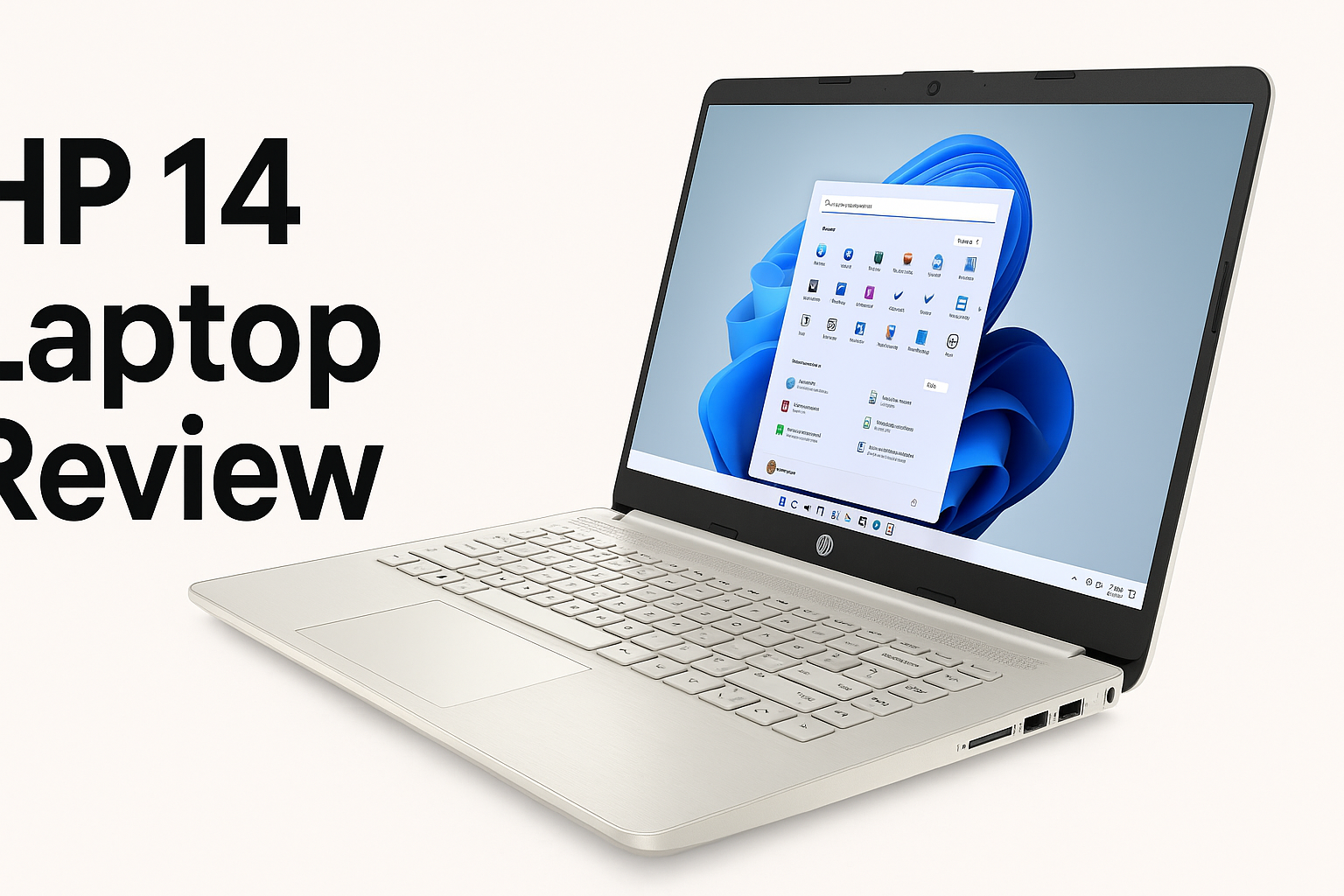
The HP 14 Laptop (14-dq0040nr, Snowflake White) is a 14-inch, entry-level Windows notebook targeting students, home users, and anyone who needs a very basic, highly portable machine for everyday tasks. It is built around an Intel Celeron N4020 dual-core processor, 4 GB DDR4 RAM, and 64 GB eMMC storage, running Windows 11 Home (often via an upgrade path from Windows 10 Home in S mode). The display is a 14-inch HD (1366 × 768) micro-edge panel with HP’s BrightView finish, and graphics are handled by Intel UHD Graphics 600.
This configuration positions the HP 14-dq0040nr firmly in the budget category. At around $189.00 on its Amazon product page, it competes with Chromebooks and other low-cost Windows devices. In practice, that means it’s designed for:
- Web browsing and email
- Office and school work in Microsoft 365 or Google Workspace
- Video streaming and basic media consumption
- Occasional light multitasking, but not intensive workloads
The one-year Microsoft 365 subscription adds value for users who rely on Word, Excel, PowerPoint, and OneDrive but don’t want to pay separately upfront.
Feature Breakdown
Processor and Graphics
- CPU: Intel Celeron N4020, dual-core, base 1.1 GHz with burst up to 2.8 GHz
- GPU: Integrated Intel UHD Graphics 600
The Celeron N4020 is a low-power chip optimized for efficiency rather than raw performance. It is adequate for:
- Single-task browsing with a few tabs
- Email and office applications
- 720p/1080p video streaming (local or via the browser)
The integrated UHD 600 graphics can decode modern video formats, but it is not intended for gaming or GPU-heavy tasks. Marketing references to “4K Graphics” refer to codec support rather than practical 4K editing or high-end gaming performance.
Memory and Storage
- RAM: 4 GB DDR4 (single-channel, usually non-upgradable)
- Storage: 64 GB eMMC flash
4 GB of RAM is the bare minimum for modern Windows 11. The OS and a few background processes will quickly eat into available memory, and once the system starts swapping to eMMC, responsiveness drops. Users who:
- Keep many browser tabs open
- Run multiple office apps at once
- Use memory-hungry websites and web apps
will see slowdowns and occasional stutters.
The 64 GB eMMC is also limited. After Windows and preinstalled software, usable free space is typically well below that figure. You may need to lean heavily on:
- Cloud storage (OneDrive, Google Drive, Dropbox)
- External USB drives or SD cards
for large files, media libraries, or long-term document archives. eMMC is also slower than a SATA or NVMe SSD, contributing further to modest responsiveness.
Display
- Size: 14 inches
- Resolution: 1366 × 768 (HD)
- Panel: BrightView, LED backlight
- Design: Micro-edge (slim bezels on three sides)
The HD resolution is typical at this price but noticeably less sharp than Full HD (1920 × 1080), especially for users used to sharper screens. Text and UI elements remain readable and usable, but:
- Side-by-side document work is more constrained
- Fine details in photos and videos appear softer
The micro-edge design makes the laptop feel more modern and compact, with relatively thin bezels that keep overall footprint small.
Connectivity and Ports
Common configuration for this model includes:
- 1 × USB-C 3.1 Gen 1 (data only)
- 2 × USB-A 3.1 Gen 1
- 1 × HDMI 1.4b
- 1 × combo headphone/microphone jack
- Wi‑Fi 5 (802.11ac) and Bluetooth 4.2
This covers typical student and home use:
- USB accessories (mice, flash drives, external drives)
- External displays or projectors via HDMI
- Wireless peripherals and headphones via Bluetooth
The lack of USB-C charging and data-only USB-C port reflects its budget positioning.
Battery and Build
- Battery: 3-cell, ~41 Wh Li‑ion
- Estimated battery life: around a full school or work day of light use (web + documents + occasional video), depending on brightness and workload
- Weight: roughly 1.4–1.5 kg (just over 3 lb)
- Finish: Snowflake White, painted cover and base with brushed keyboard frame
The result is a light, backpack-friendly laptop that is easy to carry between home, school, and office.
Software and Extras
- OS: Windows 11 Home (often via free upgrade from Windows 10 Home in S mode)
- Included: One-year Microsoft 365 subscription (term may vary by retailer)
Windows in S mode (if shipped that way) restricts app installations to the Microsoft Store by default, which can improve security and keep the limited storage cleaner. You can switch out of S mode once, permanently, if you need traditional Win32 applications—but doing so may stress the limited RAM and storage more quickly.
Performance Insights
In day-to-day use, the HP 14-dq0040nr feels serviceable for light, focused workloads, but performance expectations must stay modest.
Everyday Tasks
For basic tasks, including:
- A handful of browser tabs
- Email and messaging apps
- Video calls via Zoom or Teams
- Office documents and spreadsheets
the laptop can deliver an acceptable experience—especially if you:
- Keep background apps to a minimum
- Use lightweight browsers or limit tab sprawl
- Rely mainly on web-based tools
Multitasking and Heavy Use
Once you begin to push beyond that scope, limitations appear quickly:
- Multiple heavy web apps or dozens of tabs can saturate 4 GB of RAM
- OS updates and antivirus scans can temporarily bog down responsiveness
- Opening large spreadsheets or many documents at once can cause lag
The Celeron N4020 and eMMC storage simply do not have much headroom for photo or video editing, programming environments, data analysis, or gaming.
Media and Streaming
The integrated graphics can handle HD and 1080p streaming smoothly in most cases. Some marketing references to 4K playback are theoretical; under real-world conditions, 4K streams:
- Offer limited benefit on a 1366 × 768 panel
- May stutter or drop frames depending on bitrate and browser
For Netflix, YouTube, and classroom videos at 720p/1080p, however, the experience is generally fine.
Usability
Keyboard and Trackpad
The 14-inch form factor leaves enough room for a full-size keyboard without a number pad. Key travel is typically short but adequate for extended typing sessions. Notable points:
- No backlit keyboard, which makes low-light use more difficult
- Layout is standard, so there’s little adjustment curve for most users
The HP Imagepad (precision touchpad) supports standard Windows gestures and is sufficient for general navigation, though some users may prefer an external mouse.
Portability and Design
At around 1.4–1.5 kg and with a slim profile, the HP 14-dq0040nr is easy to carry all day. The Snowflake White finish gives it a clean, modern look, but like most light-colored plastic shells it can:
- Show dirt or scuffs over time
- Flex slightly if you squeeze the lid or palmrest
This is normal for the price bracket and not typically a functional issue.
Setup and Maintenance
Initial setup is straightforward:
- Windows onboarding + Microsoft account login
- Microsoft 365 activation
The main usability challenge is storage and performance management:
- You should uninstall trialware and unnecessary preloaded apps
- Redirect documents, photos, and downloads to cloud or external storage
- Keep OS updates and background apps under control
Hardware upgradability is very limited; on many units, RAM is not user-upgradable, and storage is often fixed eMMC. Prospective buyers should treat the shipped configuration as effectively permanent.
Trade-offs
The HP 14-dq0040nr’s biggest strengths and weaknesses stem from its strict budget focus.
Strengths
- Very low cost: Often around $189.00, making it accessible as a first laptop, backup machine, or secondary household device.
- Lightweight and portable: Easy to carry between classes and around the home.
- Includes Microsoft 365: Good value for students and knowledge workers who need Word, Excel, and cloud storage.
- Adequate for basics: Web browsing, email, and simple office tasks are within its comfort zone.
Limitations
- 4 GB RAM ceiling: Limits multitasking and can make Windows 11 feel sluggish under load.
- 64 GB eMMC storage: Tight capacity and modest speed; heavy reliance on cloud or external storage is almost mandatory.
- HD (not Full HD) display: Acceptable but not particularly sharp; less ideal for long-term productivity or media work.
- No backlit keyboard: Reduces comfort in low-light environments.
- Minimal upgrade path: RAM and storage are often effectively fixed, reducing the laptop’s long-term flexibility.
Who It Suits Best
The HP 14-dq0040nr makes the most sense for:
- Students on a strict budget whose classes center on web portals, PDFs, and light office work
- Casual home users who mostly browse, shop online, and watch the occasional video
- Travelers who want a low-cost device for email, web, and streaming
- Household shared device for light usage by family members
It is not a good fit for:
- Power users and professionals
- Gamers or content creators
- Users who need local storage for large media libraries or project files
- Anyone expecting snappy performance with many apps and tabs open
Conclusion
The HP 14 Laptop (14-dq0040nr) is a classic ultra-budget Windows notebook: modest in performance and build, but practical for basic, single-focus computing. Its combination of Celeron N4020, 4 GB RAM, and 64 GB eMMC demands realistic expectations—this is a machine for browsing, documents, and light streaming, not for demanding workflows or future-proofing.
Where it shines is portability and cost. At around $189.00, with a compact 14-inch chassis and a year of Microsoft 365 included, it offers an accessible on-ramp to the Windows ecosystem for students and casual users who primarily live in the browser and the cloud.
If your priority is simply to get online, write papers, and attend video classes on a tight budget, the HP 14-dq0040nr can be a sensible choice. If you expect to grow into heavier multitasking, local storage needs, or creative software, however, stepping up to a configuration with at least 8 GB RAM and a true SSD will provide a much smoother and longer-lasting experience—even if it means spending more than the attractive $189.00 price point.