

Lexar 2TB NM790 NVMe SSD Review: Fast, Efficient Storage for PCs, Laptops, and PS5
This review examines the **[Lexar 2TB NM790 Internal NVMe SSD](https://www.amazon.com/dp/B0C91X5DZL)**, a PCIe Gen 4x4 M.2 2280 solid-state drive designed for gamers, content creators, and power users on PC, laptop, and PS5. With rated sequential speeds up to 7400 MB/s read and 6500 MB/s write, SLC cache technology, and a single-sided design, the NM790 aims to balance high performance, efficient thermals, and broad compatibility. This article covers the product summary, ideal users, main benefits, key considerations, pros and cons, possible alternatives, and a final verdict on who should consider this drive.

Lexar NM790 Internal NVMe SSD, 7400/6500 MB/s, M.2 2280, PCIe Gen 4x4 | Compatible w/ PS5, Gamers & Content Creators, PC & Laptops, SLC Cache, Single-Sided Design, LNM790X002T-RNNNU
SHOP NOW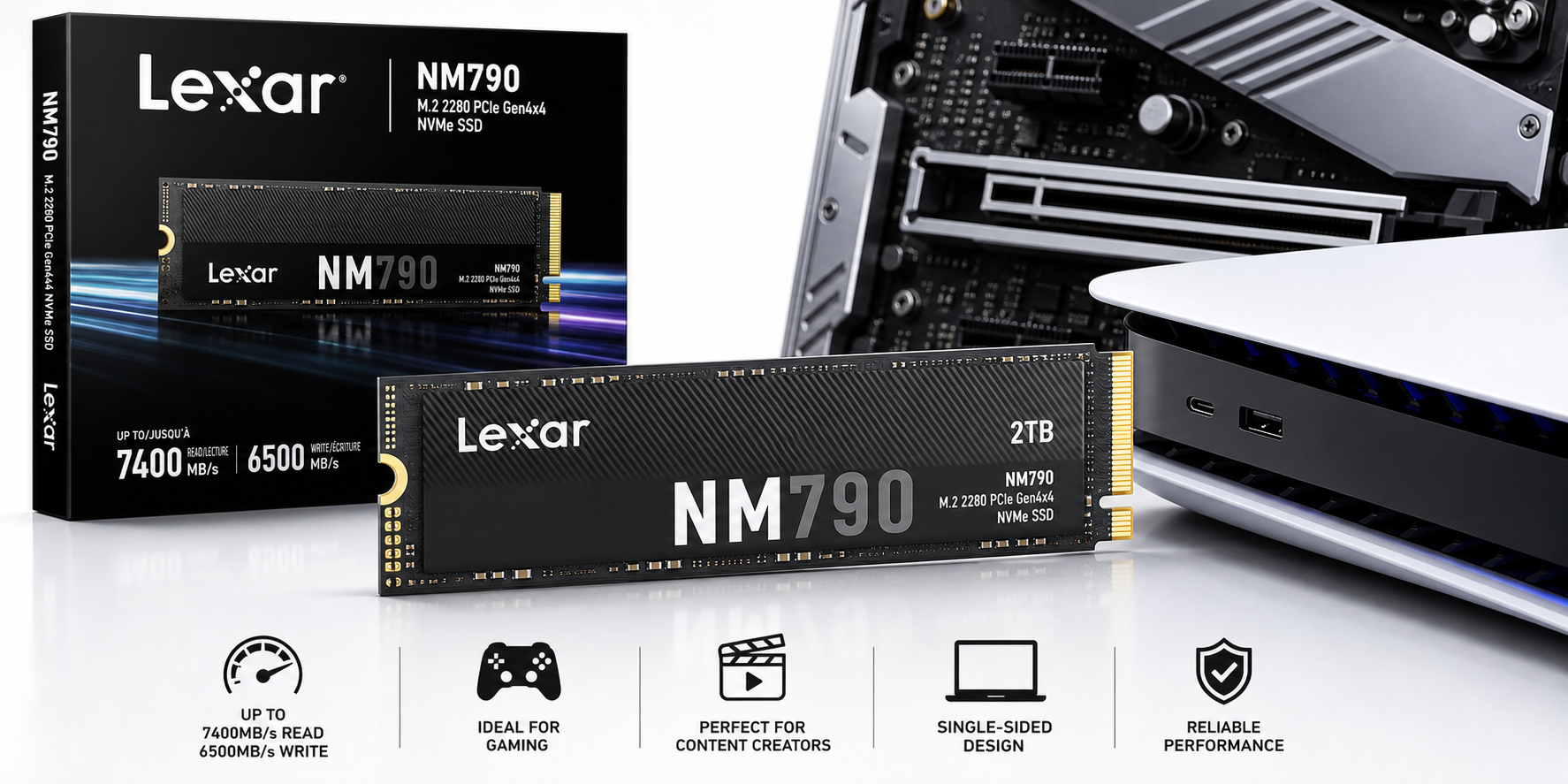
Product Summary
The Lexar 2TB NM790 Internal NVMe SSD, 7400/6500 MB/s, M.2 2280, PCIe Gen 4x4 | Compatible w/ PS5, Gamers & Content Creators, PC & Laptops, SLC Cache, Single-Sided Design, LNM790X002T-RNNNU is a high-performance PCIe Gen4 x4 M.2 SSD targeting modern gaming systems, creative workstations, and performance-oriented laptops.
Key technical highlights:
- Form factor: M.2 2280 (22mm x 80mm)
- Interface: PCIe Gen 4x4, NVMe
- Capacity: 2TB
- Sequential read speed (up to): 7400 MB/s
- Sequential write speed (up to): 6500 MB/s
- Design: Single-sided PCB, improving compatibility with thin laptops and tight spaces
- Features: SLC cache for speed burst, optimized for gaming and content creation workloads
- Compatibility: Desktop PCs, laptops with M.2 PCIe slots, and Sony PS5 (meets Gen4 and performance requirements when paired with a suitable heatsink)
The NM790 positions itself as a fast, efficient, and relatively accessible Gen4 NVMe solution, sitting in a sweet spot for users who need more speed than entry-level SSDs but do not require exotic or enterprise-class storage.
Target Users
The Lexar 2TB NM790 is best suited for:
-
PC and Console Gamers
- Ideal as a primary OS + game drive in a gaming PC.
- Suitable as an internal SSD for PS5, expanding storage for AAA titles, large patches, and digital libraries (note: PS5 requires a heatsink, which may need to be purchased separately).
-
Content Creators and Power Users
- Video editors working with 4K or high-bitrate footage.
- Photographers dealing with large RAW libraries.
- Streamers and creative professionals running multiple heavy applications simultaneously.
-
Laptop Users Needing an Upgrade
- Ultrabooks and thin laptops that support PCIe Gen4 M.2 SSDs but have strict thermal or thickness constraints benefit from the single-sided design.
- Users upgrading from SATA SSDs or older NVMe Gen3 drives looking for faster load times and improved workflows.
-
General Productivity and Mixed-Use Systems
- Anyone who wants a responsive system for multitasking, application launches, and quick file transfers without stepping into workstation-grade solutions.
Main Benefits
1. High Gen4 Performance
With up to 7400 MB/s read and 6500 MB/s write speeds, the NM790 delivers the throughput that PCIe Gen4 is known for. This translates to:
- Faster game load times and level transitions.
- Quicker project opens and media scrubbing for creative apps.
- Rapid file transfers, especially for large video, photo, or VM image files.
For many users coming from SATA SSDs or older NVMe Gen3 drives, the performance uplift is substantial in heavy workloads.
2. Single-Sided Design for Broad Compatibility
The single-sided PCB is a practical advantage that often gets overlooked:
- Improves compatibility with thin-and-light laptops where double-sided M.2 drives may physically not fit or cause pressure against the notebook chassis.
- Can simplify installation in desktops with tight M.2 clearances or under motherboard heatsinks.
3. Optimized for Gaming and Creative Workloads
The NM790 combines high sequential speeds with SLC cache technology, making it well-suited for:
- Game installations, updates, and streaming large assets.
- Editing and rendering media, where large sequential reads and writes are common.
- Handling large project folders and complex software builds.
4. PS5 Compatibility
Because it is a PCIe Gen4 x4 M.2 2280 SSD with high sequential performance, the Lexar NM790 2TB fits Sony’s PS5 SSD expansion requirements when paired with an appropriate heatsink. This makes it a strong candidate for users who:
- Want to install more AAA games directly on internal PS5 storage.
- Prefer an NVMe solution that balances performance, reliability, and capacity.
5. Efficient, Modern NVMe Platform
The NM790 is built on a modern NVMe platform that typically offers:
- Lower latency than SATA SSD solutions.
- Efficient power usage relative to the performance level, helping with battery life in laptops.
- Support for features like SLC caching to maintain higher performance under burst workloads.
Key Considerations
Before choosing the Lexar 2TB NM790, keep in mind the following factors:
-
No Mentioned Included Heatsink (Model-Dependent)
- Many Gen4 drives benefit from additional cooling.
- For desktop systems, motherboard-integrated heatsinks are often sufficient.
- For PS5, Sony explicitly requires a heatsink on the SSD; if one is not included with this specific NM790 variant, you will need to purchase and install a compatible aftermarket heatsink.
-
Performance vs. Use Case
- While Gen4 speeds are impressive, everyday tasks like web browsing or office work may feel similar to other quality SSDs.
- The NM790 shines most for large file workflows, heavy gaming, and professional applications.
-
Host Compatibility
- To fully utilize the quoted speeds, your system must support PCIe Gen4 x4 on the M.2 slot.
- It will still work in PCIe Gen3 systems but at Gen3 throughput levels, which may be lower than the maximum rated speeds.
-
Firmware and Software Support
- As with any SSD, it is best practice to keep firmware updated and, where available, use the manufacturer’s utilities for drive health monitoring and firmware updates.
Pros
- High performance PCIe Gen4 x4 NVMe speeds (up to 7400 MB/s read / 6500 MB/s write).
- 2TB capacity provides ample room for OS, applications, games, and large media projects.
- Single-sided M.2 2280 design improves compatibility with slim laptops and tight slots.
- SLC cache enhances burst write performance for large transfers and frequent I/O spikes.
- Compatible with PS5 for internal storage expansion when paired with a suitable heatsink.
- Strong fit for gamers, content creators, and power users who need fast storage.
Cons
- May require an additional heatsink, especially for PS5 use or small form-factor PCs with limited airflow.
- Users on PCIe Gen3 platforms will not see the full advertised Gen4 speeds.
- Overkill for basic office or web-only systems, where a more modest SSD might suffice.
Alternatives
If the Lexar 2TB NM790 does not perfectly match your needs, consider the following alternative directions (specific models will depend on your region and platform support):
-
Other PCIe Gen4 NVMe SSDs
- If you want similar performance but from a brand you already standardize on, look for other PCIe Gen4 x4 M.2 2280 SSDs with comparable read/write ratings. These may offer bundled heatsinks or different software ecosystems.
-
PCIe Gen3 NVMe SSDs
- For systems that only support PCIe Gen3 or workloads that are lighter, a quality Gen3 NVMe may offer sufficient performance at a lower performance tier. This can be a sensible option for budget-focused builds.
-
SATA SSDs or Smaller NVMe Capacities
- If your primary concern is reliability and you do not need top-tier speeds, you might consider a SATA SSD or a lower-capacity NVMe drive, especially for office PCs, light media consumption, or secondary storage.
Keep in mind that alternatives will generally not match the combined performance, capacity, and single-sided design of the NM790, so weigh your priorities carefully.
Conclusion
The Lexar 2TB NM790 Internal NVMe SSD is a compelling option for users seeking a high-performance PCIe Gen4 SSD that balances speed, efficiency, and broad compatibility. With its impressive sequential throughput, single-sided M.2 2280 layout, and suitability for both PC and PS5, it fits neatly into a wide range of gaming rigs, creative workstations, and modern laptops.
If you are upgrading from an older SSD or hard drive and need a drive that can handle intensive gaming libraries, 4K video projects, or heavy multitasking, the NM790 stands out as a strong, forward-looking choice. As long as you ensure your system can take advantage of PCIe Gen4 speeds and provide adequate cooling, this Lexar drive offers a robust and versatile storage solution for today’s demanding workloads.